
What is this?
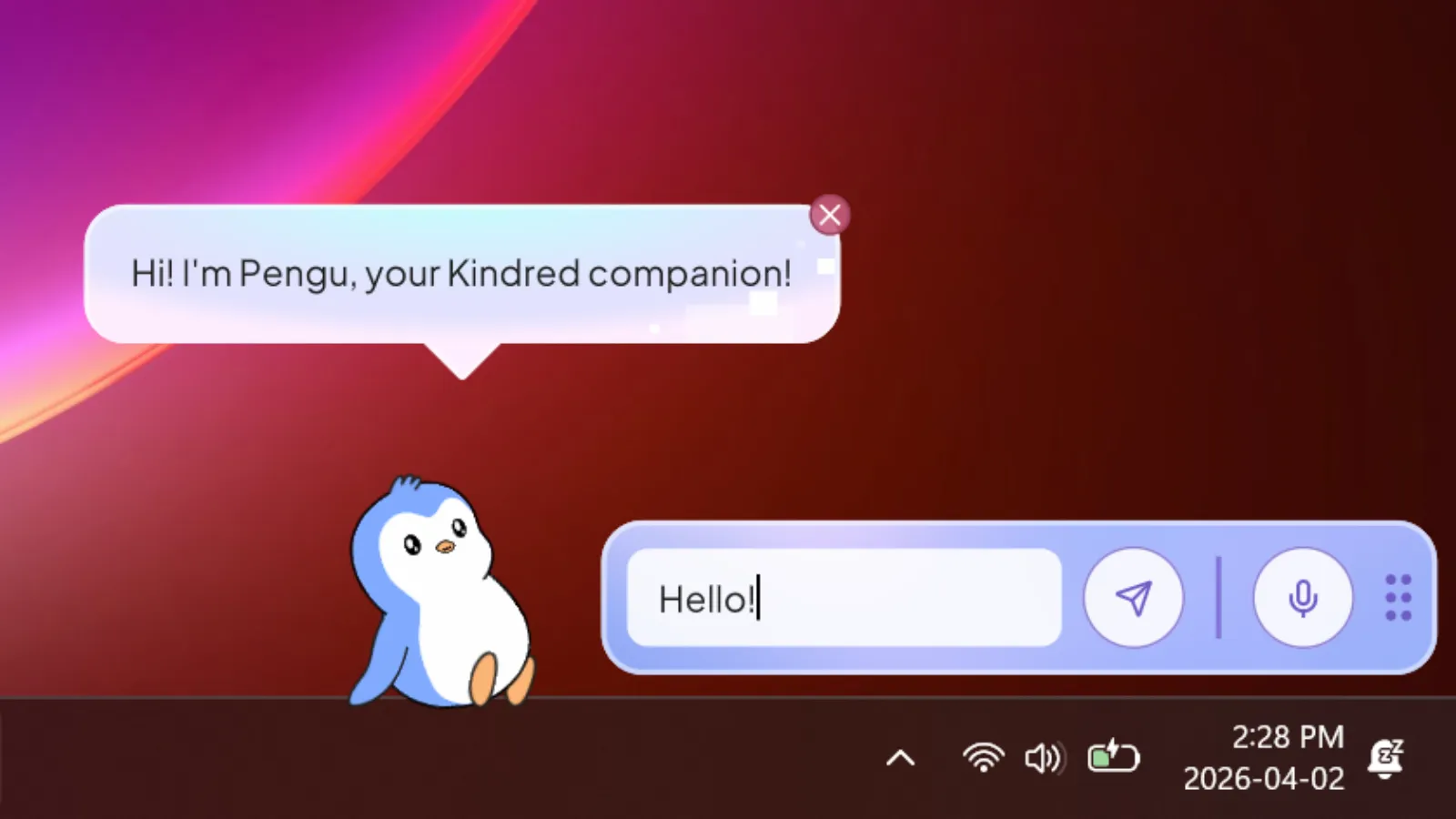
Kindred is an AI companion desktop app for Windows and MacOS, powered by Unity. The companion lives persistently on top of all your apps, sitting on the taskbar and menu bar, following you no matter what you’re doing on your computer.
The core feature is the companion AI chat, which goes beyond a standard chatbot. The companion can take screenshots of the user’s screen to understand context — for example, summarizing text visible on screen. It also supports computer use, where the companion can control the user’s computer to complete tasks, such as navigating a browser to add an item to a shopping cart or replying to a Slack message.
The app was built internally and never publicly released.
What did you do?
I was the lead frontend engineer on this project, building it from scratch in Unity alone for several months before two other engineers joined the team.
Companion framework
I built the companion framework from scratch as a Unity package, designed with future mobile use in mind. It handles companion creation (loading Spine files, building containers), a robust action queue system, and animation state management with graceful transitions using Spine’s animation mixing. The action system supports queuing multiple actions and handles interruptions — such as the user picking up the companion mid-action — without any choppy or broken transitions.
The framework is configurable via JSON files per companion, allowing me and the animators to define animation variants with weight-based randomization, walking/running/trotting speeds, jump distances, mouth animation viseme mappings, and more.
The companion also has a behavior tree system — also JSON-configurable and weight-based — that drives autonomous behavior, so the companion doesn’t just sit idle. It will randomly decide to walk, sit, jump, and more on its own.
Voice activity detection
I built voice activity detection largely from scratch using the Unity Inference Engine and the Silero VAD ONNX model. The Silero VAD model is not natively compatible with the Unity Inference Engine, so I modified and converted the model to make it compatible — something that had not been done before.
AI chat & computer use
I handled the full SignalR integration for real-time AI chat, voice activity detection, and text and voice output. I also implemented the computer use feature in collaboration with the backend engineers, processing commands sent from the backend such as taking screenshots, simulating cursor clicks, and keyboard input.
Desktop window integration
I worked on detecting the taskbar and menu bar to use as a platform for the companion to stand on, and implemented screen boundary detection to keep the companion from going off-screen. Transparent window rendering was handled via the UniWindowController package.
Kindred Studio
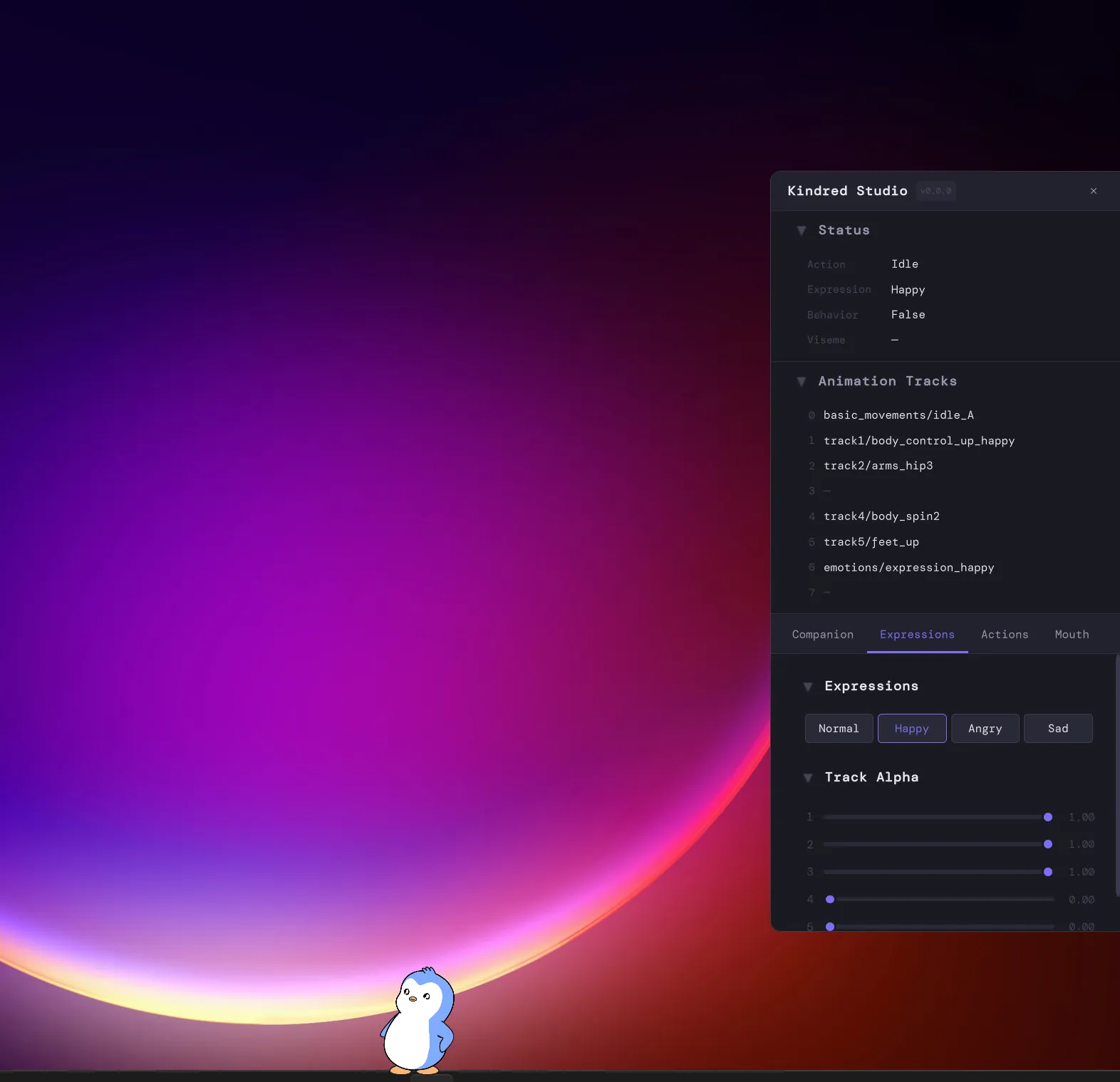
I built a separate internal tool called Kindred Studio — a desktop app for the two animators on the team. It allows them to load Spine files and test companions directly on their desktop, without needing to commit files and redeploy a website. Animators can test actions, mouth animations (via text, audio file, or live AI output), and tweak settings independently.
Release pipeline
I set up GitHub workflows for the framework package, the Studio app release, and the desktop app release, including an automatic installer and updater via Velopack so users receive updates seamlessly on launch.
UI
After the UI designer was laid off before the project started, I took on UI design and implementation myself. I designed in Figma and implemented using Unity UI Toolkit, which allowed me to use HTML-like and CSS-like syntax for the layouts.
How was this built?
- Unity + C# for the desktop app.
- Spine + Unity Spine for the 2D animated companion.
- Unity UI Toolkit for the UI.
- Figma for UI design.
- UniWindowController for transparent window rendering.
- SignalR for real-time AI chat communication.
- Unity Inference Engine + Silero VAD ONNX for voice activity detection.
- uLipSync for audio-driven mouth animation.
- Velopack for the installer and auto-updater.
- GitHub Actions for release pipelines.